QR cards
Paper simplicity, digital tracking
Generate a QR-linked loyalty card in seconds. Customers scan with any phone camera — no app download required. Print on heavy card stock, trim, hand out.
Scan friction
0 apps
Works with the camera app that already ships on every modern phone.
Batch sizes
5 / 10 / 25
Sequential QR codes with `?cid={prefix}-NNN` for per-card tracking.
Output
PNG · ZIP
Single PNG, or ZIP with `urls.csv` mapping each card ID to its scan URL.
Configure
Preview
Printable QR loyalty card. Print on heavy stock, trim to your card size, hand out at the till.
Loyalty card
Your Business
10 stamps = 1 free reward
Scan to track your visits
Pick the right mode
Single card or batch?
Single card
One card, one QR code, all customers share
Use this when your loyalty platform already identifies customers (sign-in, account, magic link). The QR just deep-links them to the right page.
- Coffee shops with a Square loyalty setup
- Restaurants with a Toast / Resy integration
- Salons using Booksy or Boulevard
- Anywhere the customer signs in once
Batch (sequential)
Each card is uniquely identified
Use this when you need to tell customer A apart from customer B without forcing an app download. The destination page reads the `cid` query param to log per-card visits.
- Pop-ups and limited-time businesses
- One-off events and seasonal campaigns
- Local businesses without a customer database yet
- Anyone starting from a paper-only workflow
How QR cards work
A loyalty card customers actually join
A QR-linked loyalty card sits at the till like a paper card and works like a digital one. The customer scans the QR code with their phone camera, lands on your URL, completes whatever action the program expects (sign up, log a visit, claim a reward), and you keep a digital record.
The QR code encodes a URL — your existing loyalty-platform URL, a Typeform, a Google Form, even a simple contact page. The card works with anything you can put on the web. For businesses that want a more complete stack, the loyalty ROI calculator and the gift card profit calculator will help you size the program.
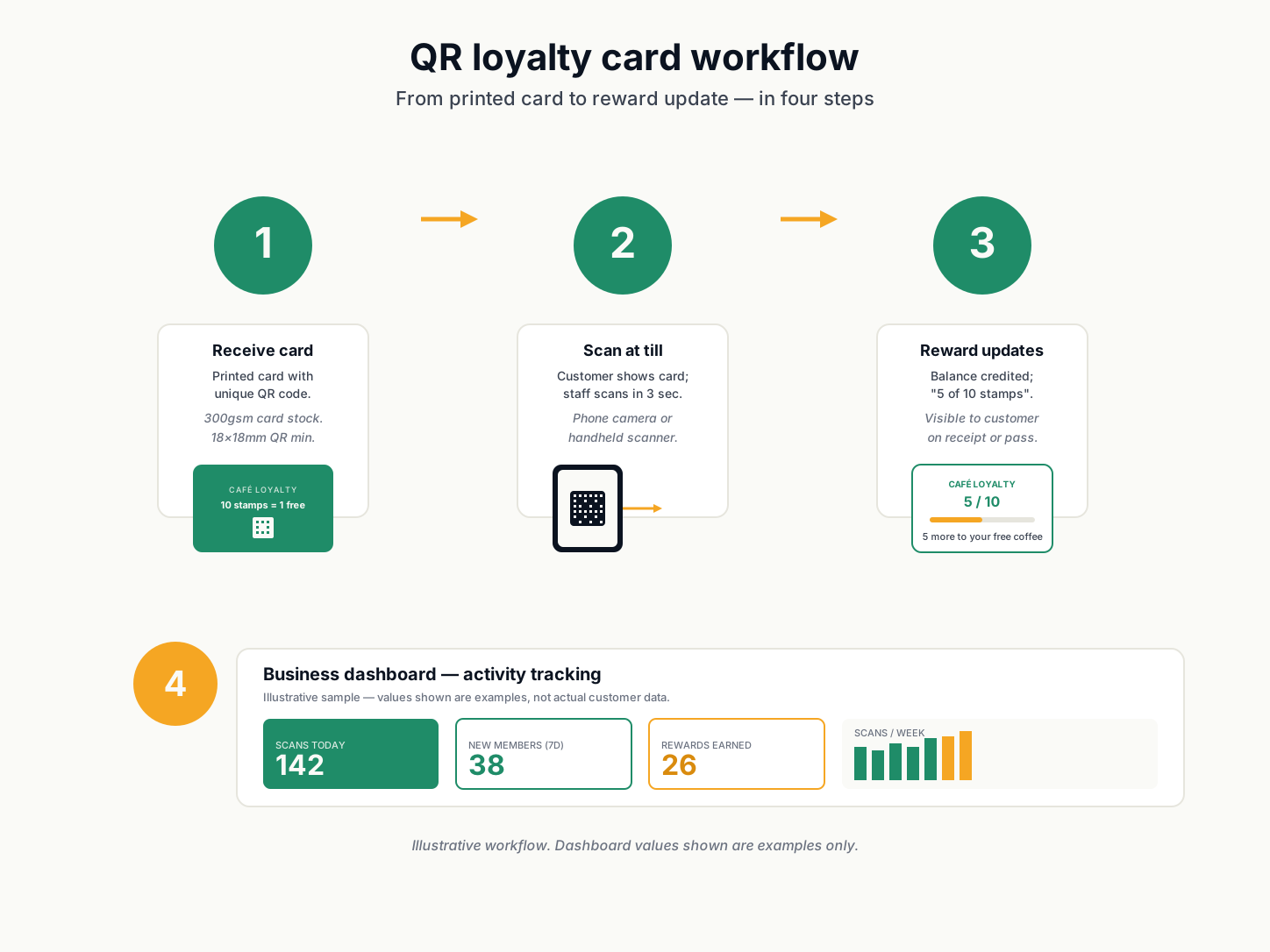
Tips for scannable cards
- Print at 300dpi or higher. Most office printers default to 150dpi — bump the print quality setting.
- Trim straight. A QR code that catches the edge of the card is unreliable.
- Laminate if the card will live in a wallet. Plain paper absorbs moisture and the QR will smear.
- Test with three different phones in store lighting before printing 500 cards.
- Use error correction level M (the default) for paper; bump to Q or H if the card will be scratched or dirty.
When QR is the right default
QR is the right default when you want paper’s tactile invitation at the till but digital’s analytics and reduced stamp-look-up friction. It is also the right default when your customer mix includes people who will not install an app but will scan a code. For programs where the customer does install an app, the loyalty card builder with a built-in QR works better — try it at the builder.
QR loyalty card FAQ
Do my customers need to download an app?
No. QR codes work with the camera app that already ships on every modern phone. iPhone (iOS 11+), Android (9+), and any modern webOS device opens the scan URL directly. The only friction is the moment of the scan itself.
What URL should the QR code point to?
Anything you can put on the web: a loyalty-platform check-in URL, a Typeform, a Google Form, a Square appointment page, or a simple contact form. The most useful pattern is a per-card URL — `https://yoursite.com/checkin?cid=card-001` — so the destination page can read `cid` to log a per-customer visit count.
How is batch different from single?
A single card has one QR code, all customers share. A batch generates 5/10/25 cards, each with its own QR code that scans to a unique URL with a `cid` (card id) query param. That lets you tell customer A apart from customer B in your logs — without making them download an app.
Can I print the batch cards?
Yes. The ZIP contains one PNG per card (1024×1024 QR + 5:3 card design) plus a `urls.csv` that maps each card ID to its scan URL. Print each PNG separately, or compose them in a print template.
How long does it take to make the cards?
The cards generate client-side in under a second for a batch of 25. The bottleneck is your print setup — most office printers default to 150 dpi, which is too low for scannable QR codes. Bump print quality to 300 dpi before printing 500 cards.