Calculator
Loyalty program ROI calculator
Plug in your real ticket size, visit frequency and reward cost. Net contribution per month and per year update as you type.
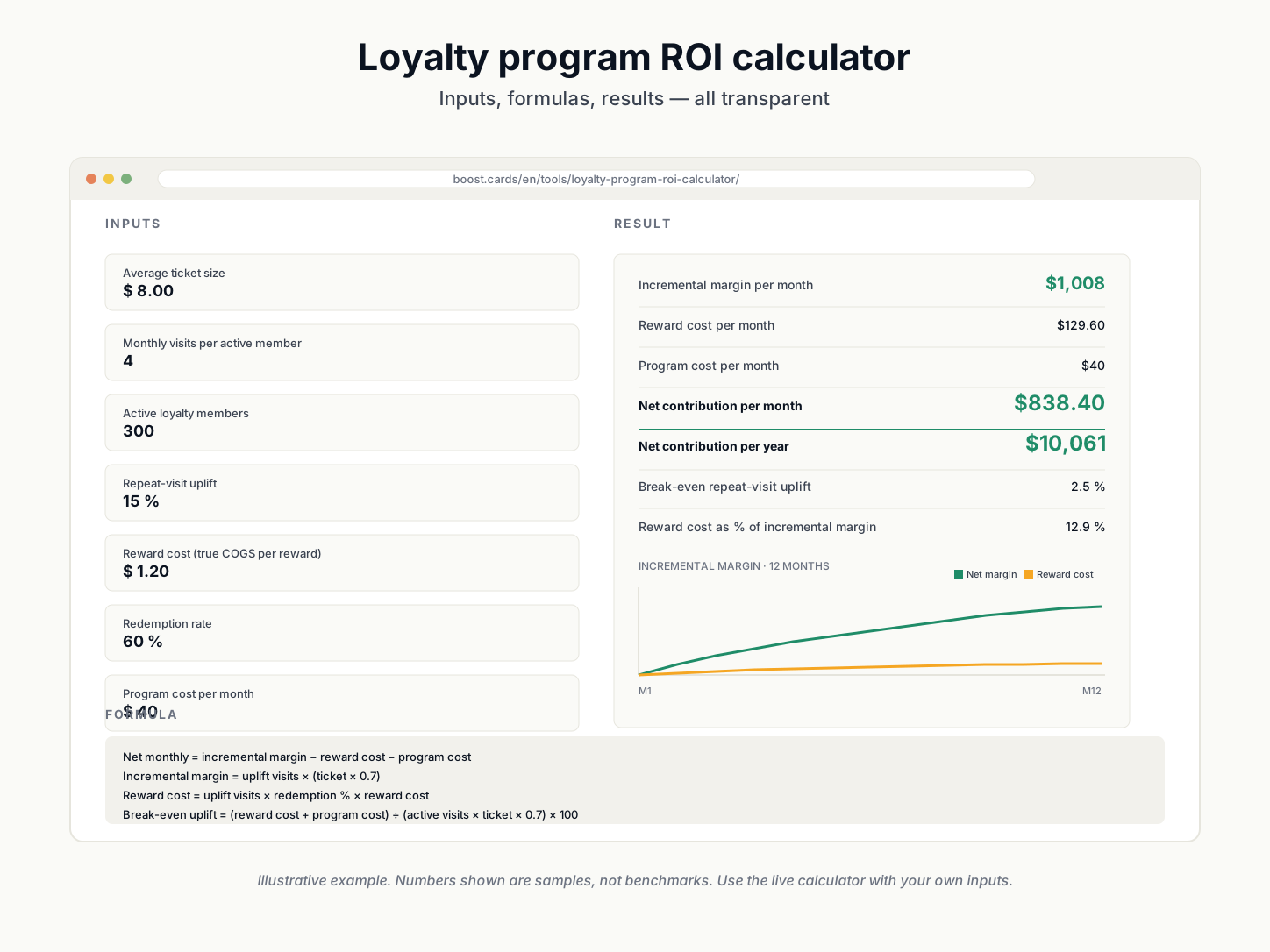
Loyalty program ROI
Plug in your ticket size, visit frequency and reward cost to estimate the net contribution of a loyalty program. Numbers update as you type.
Inputs
Result
Formula
Active monthly visits = visits per member × members
Uplift visits = active monthly visits × (uplift % ÷ 100)
Incremental margin = uplift visits × (ticket × 0.7)
Reward cost = uplift visits × redemption % × reward cost
Net monthly = incremental margin − reward cost − program cost
Break-even uplift = (reward cost + program cost) ÷ (active monthly visits × ticket × 0.7) × 100
Assumptions
- Contribution margin assumed at 70% of average ticket (adjust to your actuals).
- Repeat-visit uplift applies only to active members — non-member baseline is unchanged.
- Reward cost is true out-of-pocket cost (COGS), not the face value shown to customers.
- Program cost is a flat monthly operating expense (SaaS + staff time).
- Annual projection assumes your inputs are representative across the year.
Notes
- Uplift figures of 12–25% among active members are typical for stamp and points programs.
- If the calculator returns a negative net, your reward cost is too high or your uplift assumption is too optimistic.
What to do with this number
Three next actions
A positive net contribution tells you the program pays for itself. Now turn the number into a card customers actually use.
01 · Template
Open a pre-tuned template
Each template is pre-configured for one industry — stamp count, reward copy, mechanic all set. Customize from there.
Browse templates →02 · Builder
Design the card now
Use the full builder to set up business name, reward, mechanic, accent color and QR. Auto-saves on this device.
Open the builder →03 · Guide
Read the loyalty cards guide
How mechanics, reward math and tier recognition actually work — the editorial foundation behind the calculator.
Read the guide →
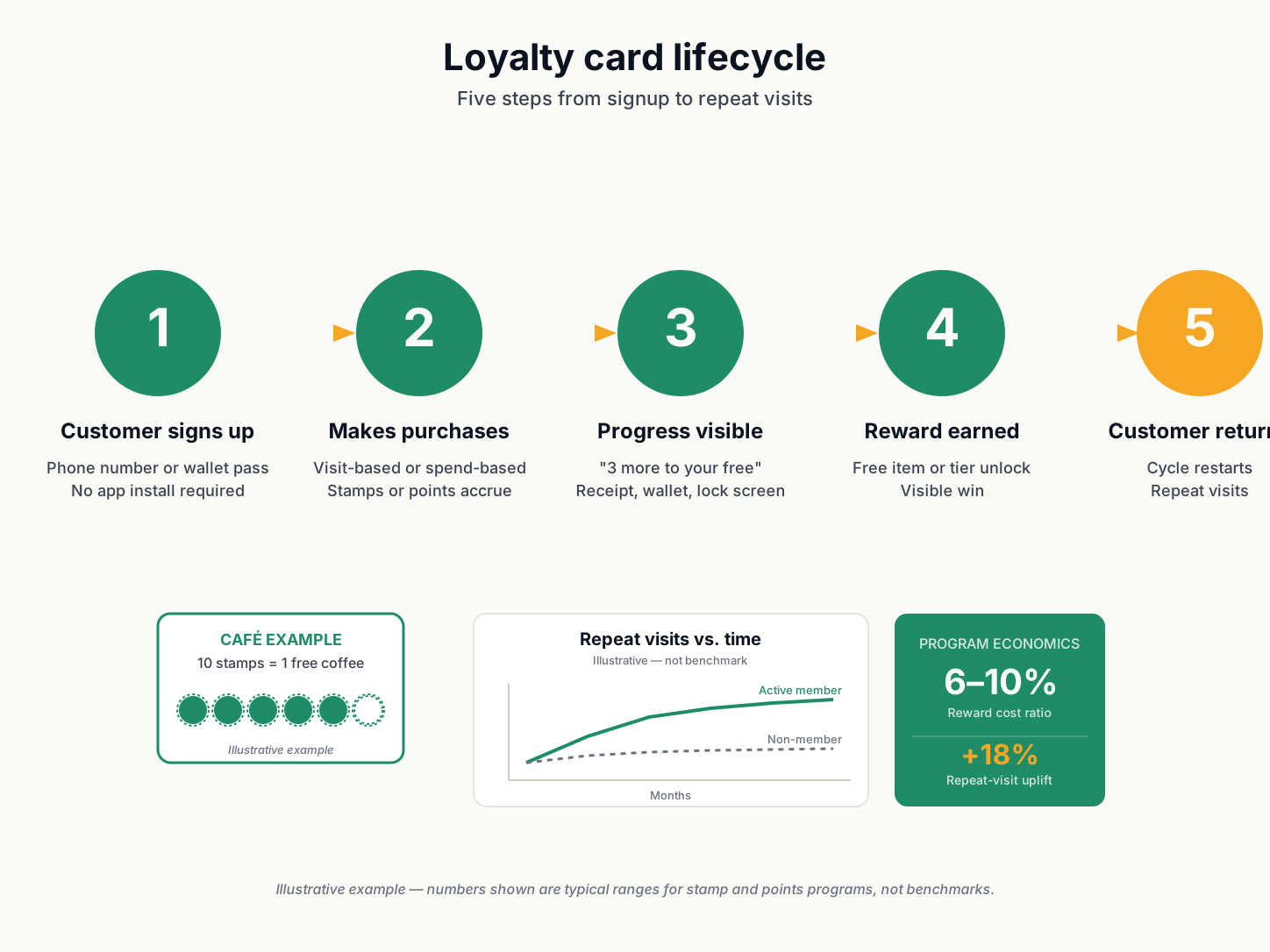
What this calculator does
Loyalty programs pay for themselves when the profit from extra repeat visits exceeds the cost of rewards and the program itself. This tool estimates that net contribution under your specific numbers.
How to use the numbers
The repeat-visit uplift input is the most sensitive number. If you do not have your own measurement, 12–25% among active members is realistic for most stamp and points programs. Below 8% the program usually loses money; above 30% you should verify the input is not wishful thinking.
Next step
Once you have the ROI number, open the builder to design the card, or browse templates for a pre-tuned starting point.
Related
Pair this with the stamp card reward calculator to size the reward correctly, and the loyalty cards guide for the format-free overview.